How do I find the Undergraduate Transfer Scholarship application?

Go to Add Program in Common App for Transfer and search Jack Kent Cooke Foundation in search box. Once it comes up, click on the “plus” on the left column and it will turn into a green check mark when it has been added.
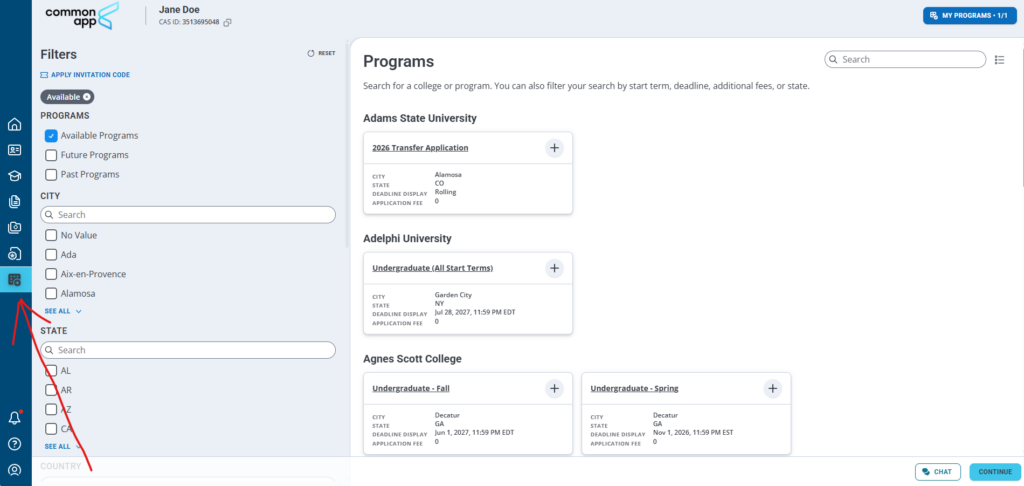
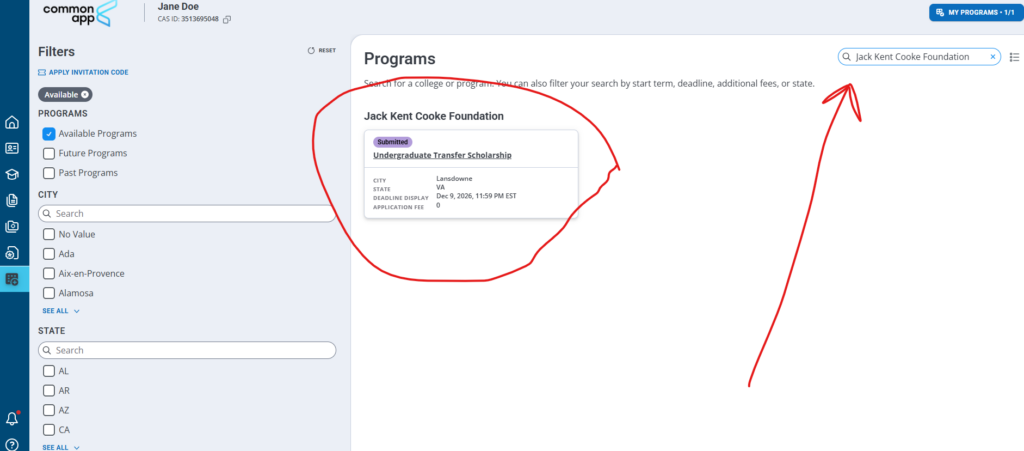
Go back to “My Application” and select “Program Materials”
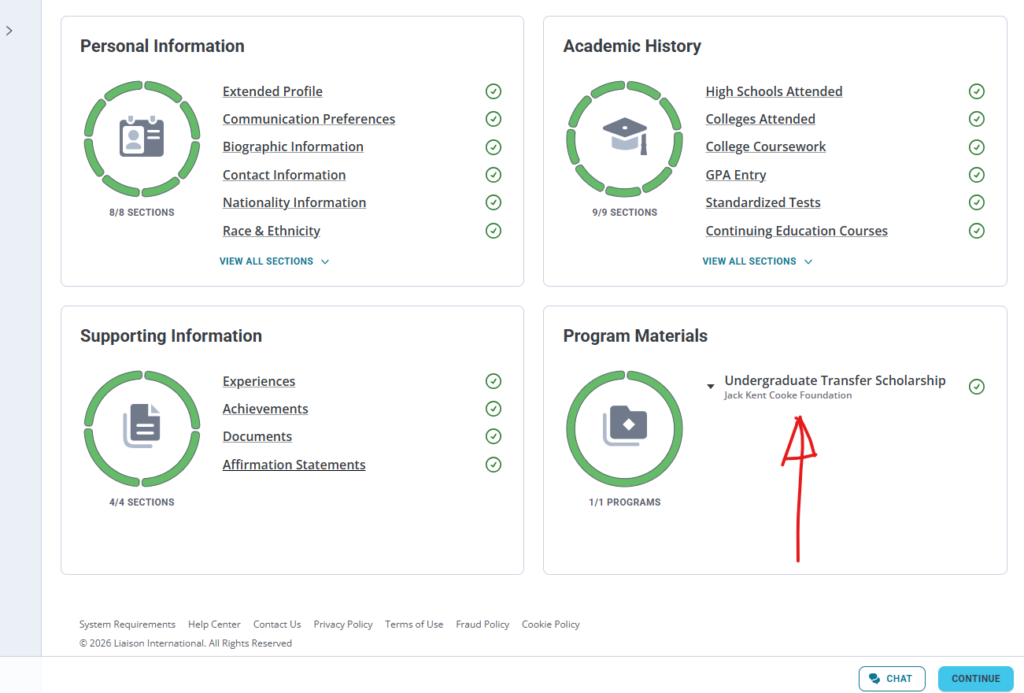
You should now see the scholarship listed under your “Program Materials”

Once you click on the application, you should see the following screen. You will need to complete all sections of the application.
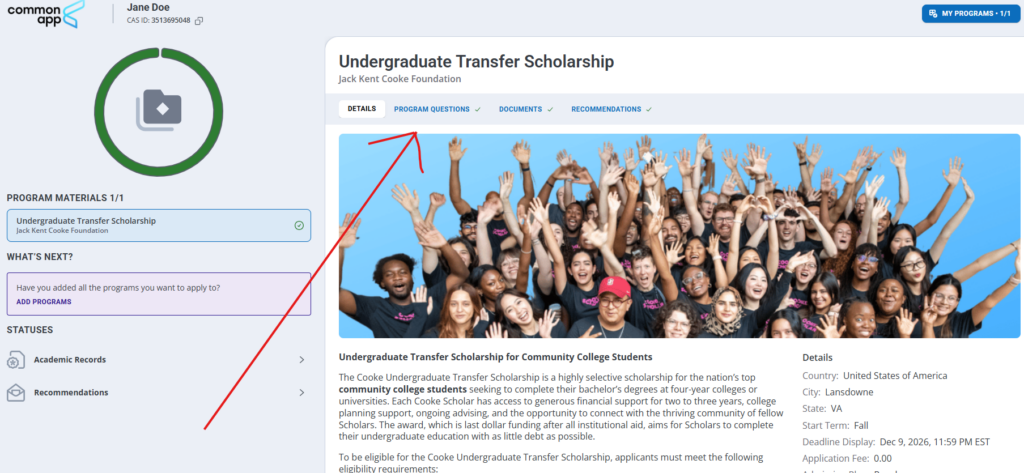
When you are requesting recommendations, you will click on the “Request Academic Recommendation” link to add recommenders. Once you fill out this form, Common App will request your recommendations directly from your recommenders. Your recommenders will fill out the letter on Common App and they will automatically be added to your file. There is no need to send them directly to us.

Click on Documents to add your CV/Resume and your Unofficial College Transcript. At this point of the application, only your Unofficial College Transcript is required. These are the only two required documents.

Please be sure to submit your completed application prior to the deadline.